

Analytics
How to move budget between channels without losing the gain
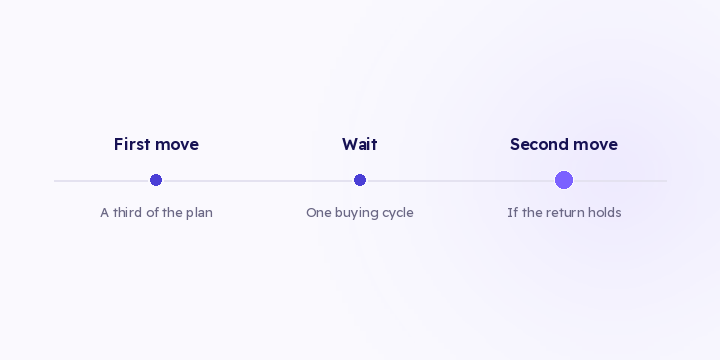
The distribution check tells you there's an opportunity. Moving it all at once eats most of it. Here are three execution rules, and what to watch afterwards.
2 min read
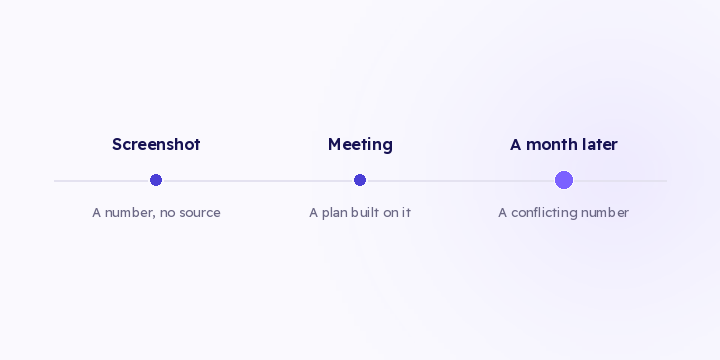
The default way to share an analysis inside a team is a screenshot. It's fast, everyone can open it, and it strips out everything that made the number checkable.
The image carries a number. It doesn't carry where the number came from.
Each of these changes the number. None of them survives the crop.
A case that comes up often: same week, same channel, two screenshots with two different numbers. One was computed on last touch, the other on first touch. Both are correct, and nothing in either image says which model produced which figure.
The screenshot gets forwarded. Someone quotes it in a meeting. Someone else builds a plan on it.
A month later a different number appears, produced by a different person with different filters. You can't reconcile the two, because reconciling needs to know how the first one was built, and that was never attached to it.
What usually happens is that the newer number wins, or the number from the more senior person does. Neither has anything to do with which one was right.
Screenshots sent to a client are the heavier version of this. The client can't rebuild the context at all, so they compare your figure against their own, built a different way, and you spend the call discussing a difference caused by configuration rather than performance.
| Method | Carries how it was built | Stays current |
|---|---|---|
| Screenshot | No | No |
| Export file | Partly | No |
| Link to a saved view | Yes | Yes |
An export has the same provenance problem as a screenshot and is heavier to read. Use it when you're handing data to another system that needs it, not when you're sharing a conclusion with a person.
There's one honest use for a screenshot: illustrating a shape, as in "look at the drop here", next to a link to the view it came from.
That last point matters more than it looks. A screenshot from three weeks ago reads with exactly as much authority as one from this morning. A link shows today's data.
If you don't have a link to share, write three lines next to the number: the attribution model, the date range, and what you excluded. It takes ten seconds and prevents most of the argument above.
The same rule applies on the receiving end. If a screenshot arrives and you're about to act on it, ask those three questions first. The question costs you one message. A decision built on a number you can't trace costs more.
In Flowfy, filtering by period, channel, store and campaign is live, and attribution is computed when you open the screen, so any view reflects current data. Saving a view and sharing it as a link is on the roadmap and hasn't shipped. Until it does, the three lines cover most of the gap.
So any number that will feed a decision goes out with the range, the filters and the model attached. And if what you're sharing is a shape rather than a figure, send the screenshot with a link to the view behind it.
The distribution check tells you there's an opportunity. Moving it all at once eats most of it. Here are three execution rules, and what to watch afterwards.
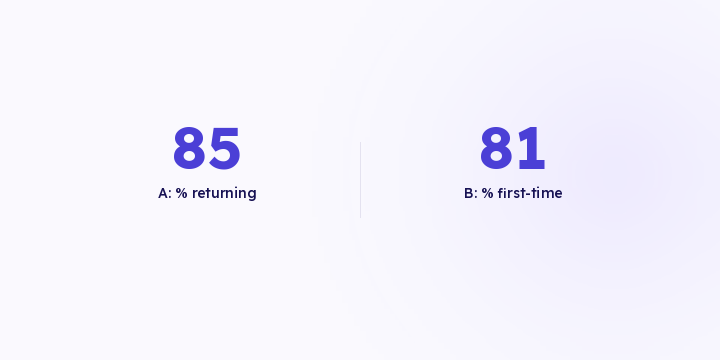
Two products with the same revenue can need opposite budgets. One buys you new customers, the other is why they come back. Revenue alone doesn't tell them apart.
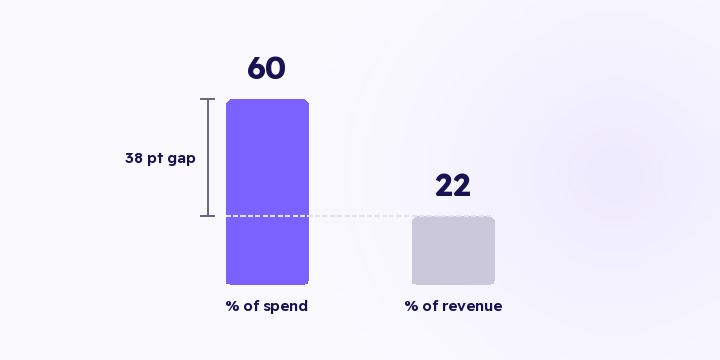
Tracking is fine and the money is going to the wrong place. That's the more common case, and it doesn't surface as an error anywhere. Here's the check, with the arithmetic.