

Analytics
What you lose when you share an analysis as a screenshot
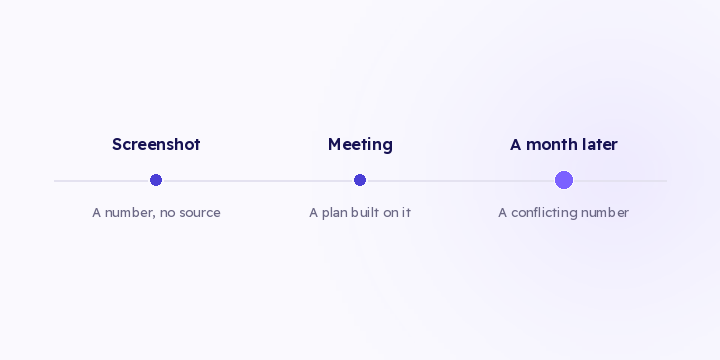
A screenshot carries the number without its date range or its filters. A month later nobody can check it. Here's what to share instead.
2 min read
Someone opens the dashboard to check whether the new campaign is working. The dashboard opens on last 30 days, they don't change it, and the number they see goes into the report.
That range has nothing to do with their question. It's just the default. And it carries over into every report, because nobody edits a setting that looks like it's working.
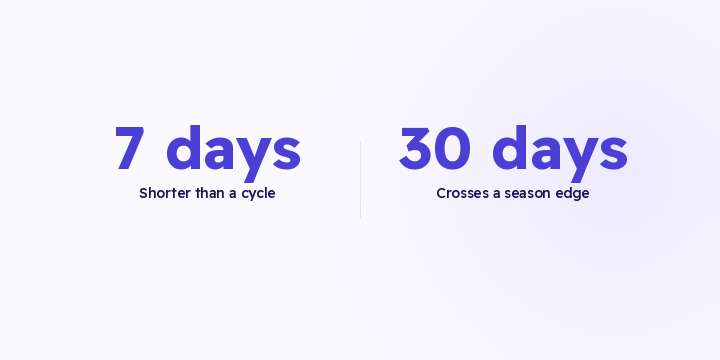
Last 7 days is shorter than most buying cycles. It shows you journeys that started before the window and closed inside it. Read as campaign performance, all the credit goes to the channel that closed and the one that opened doesn't show up.
Last 30 days crosses a payday cycle, and in this market it often crosses a season boundary too. Two very different fortnights average into one number.
This month compares a partial period against full ones, so every month looks weak until the final week.
None of them is wrong on its own. The problem is using one for a question it wasn't picked for.
| The question | The range |
|---|---|
| Is something broken right now? | Today and yesterday |
| Is this campaign working? | At least three buying cycles |
| Did this season beat last year? | Season day 1 to N, both years |
| Did the discount pull demand forward? | The four weeks after, both years |
| Is this channel trending? | 8 to 12 weeks, daily granularity |
| Did the fix work? | Two equal windows around the change date |
The last row is the one that goes wrong most often. Comparing "before the fix" to "after the fix" only works if both windows are the same length and neither one crosses a season.
One more range is worth building yourself: the last ten nights against the first ten inside a thirty-day season. It separates the peak from the start of the season, and it tells you more than the season total.
On defaults: last 30 days is reasonable for monitoring, as long as you know it can cross a season.
For judging campaign performance there's no correct default. You need at least three buying cycles to clear the learning phase.
Month to date works for pacing against a monthly target, and not for comparison.
Never compare a period before a measurement change to a period after it without saying so.
When you switch on gateway pass-through or server-side capture, the "direct" share drops sharply and every paid channel looks like it improved. Present that without the caveat and someone reads it as a marketing result and builds a plan on it, when it's entirely a measurement result. See recovering what you lost.
Any number that feeds a decision has to travel with its period.
"Revenue is up 18%" isn't enough to work with. "Revenue is up 18%, Ramadan days 1 to 20 against the same days last year" is something you can argue about. That extra line saves you a long argument later. See sharing an analysis.
Take your most-used report this week and ask what question it answers. Change its range to fit that question, and put the range in the report title.
In Flowfy you can select any historical range, and attribution is computed at read time, so any range reflects current data and can be re-read on a different model without re-collecting anything. Saved comparisons and season shading are on the roadmap and haven't shipped, which means the ranges above get selected by hand each time.
Keep in mind that the range decides which orders are in view, while attribution itself runs on a 90-day window whatever range you're looking at. See the 90-day window.
A screenshot carries the number without its date range or its filters. A month later nobody can check it. Here's what to share instead.
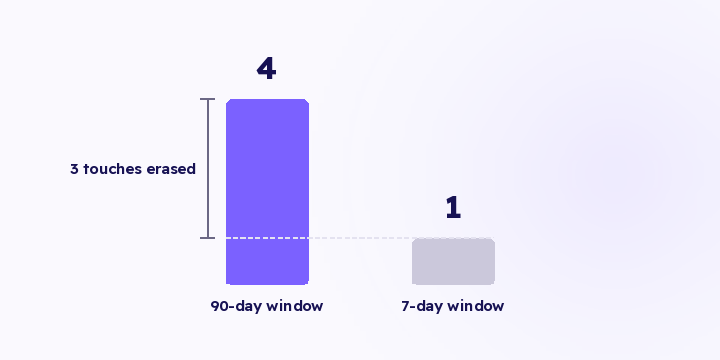
A model can only divide the touches it can see. Before arguing about first versus last, check how far back your window reaches, because a short one erases the whole subject of the argument.
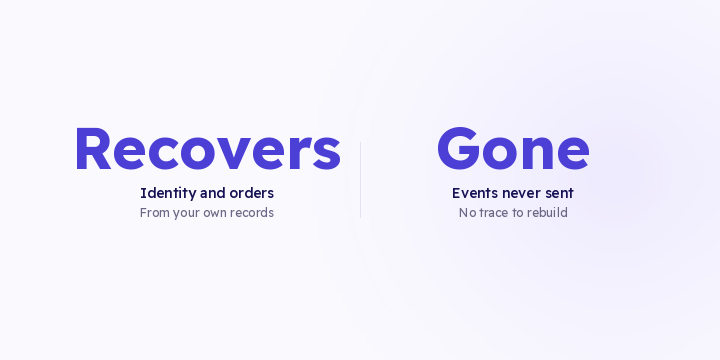
After you fix a tracking gap, part of the past can be rebuilt from records you already own. Part of it is gone. Here's the difference, so you don't spend weeks on the part that doesn't come back.