Six ways tracking breaks, and how to check each one
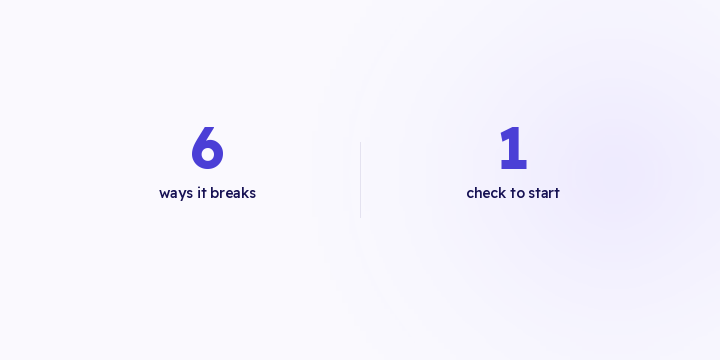
Tracking doesn't fail in unlimited ways. It fails in about six, and each one has a fingerprint. Here are the six, and the check to run if you only have time for one.
Tracking doesn't fail in unlimited ways. It fails in about six, and each one leaves a fingerprint you can look for on purpose instead of discovering it a month later.
None of the six raises an error anywhere you normally look. Your store runs, orders arrive, and the money comes in.
1. Purchase stop. Zero purchase events for longer than your longest natural quiet stretch. One of the clearest signals there is, and one of the easiest to miss overnight or during a seasonal shift in buying hours.
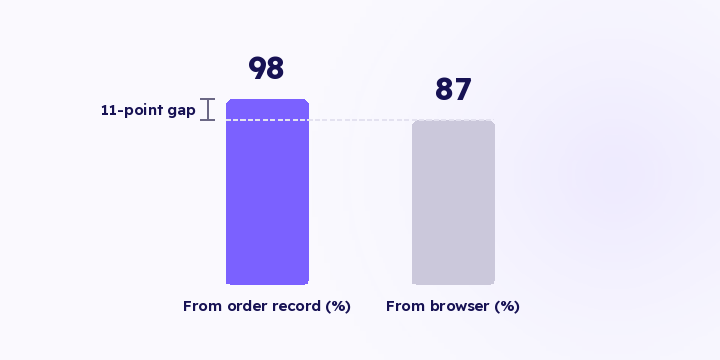
2. Store-to-platform gap. Your order count against conversions delivered to each destination, with the distance between them widening past a threshold. There's always some gap: blocking browsers, excluded bots, events outside the window. What matters is the gap changing, not the gap existing.
3. Delivery failure. A destination rejecting events instead of accepting them. It shows in the delivered-events log with the reason the platform gave.
4. Expired credential. A token or permission that no longer authorises the call. Every event rejected, from a specific date, with no error anywhere inside your store. This is the most common one.
5. Event name drift. Events arriving under a name the platform stores but doesn't count. The cruellest of the six, because the response is a success and the log looks full. It shows up most often after a theme change.
6. Single-destination volume collapse. One destination goes quiet while the rest hold steady. That isolates the fault to that destination rather than to your store.
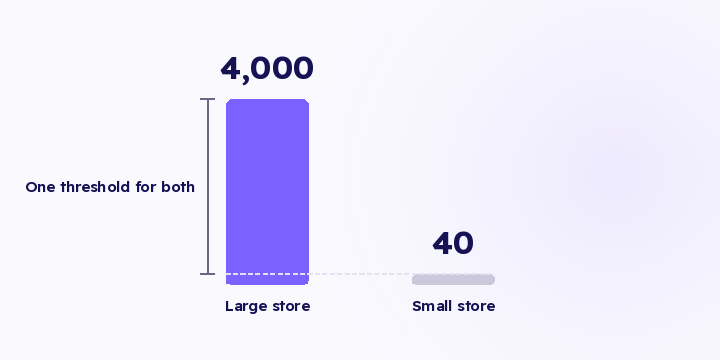
The store-to-platform gap needs no thresholds to tune, no baseline and no setup. Both sides of the comparison are measured from your own data, so it behaves the same way on a store doing forty orders a day and one doing four thousand.
It also catches most of the rest indirectly. Purchase stop, expired credential, delivery failure and destination collapse all surface as a gap between what your store recorded and what the platforms received.
If you only have time for one check, take this one. Weekly in an ordinary month, daily in a season, because the cost of a break scales with your daily spend.
A named cause. "Something is wrong" sends someone hunting. "The token expired on destination X" sends them to a settings screen.
A figure in riyals. Missing orders multiplied by average order value. An alert with no financial weight gets ignored, an alert with a number gets opened, and the numbers rank your queue for you.
A next step. A check that stops at diagnosis leaves the merchant to find the fix. A check that names the destination and the reason has done most of the work.
If the riyal impact sits below the level you'd act on, don't send it.
You judge an alerting system on the break that got through without an alert, not on how many alerts it sent. Every unhelpful notification moves your team closer to muting the channel the important one will arrive on. See alert fatigue.
In Flowfy, the inputs for all six are live: the live events screen, the delivered log with platform responses and rejection reasons, revenue by source, and conversions delivered per destination. Credential validation at save time catches the fourth before the first event. Running all six automatically every hour, on baseline-relative thresholds with a riyal figure attached, is on the roadmap and hasn't shipped.
The danger isn't the late alert. It's alerts arriving often enough that someone mutes the channel, at which point every detector behind it stops. Here are three rules and three alerts to start with.
Alert me if events drop below 100 a day is a rule that works for one store, for about a month. A threshold that doesn't know your normal fires when you're fine and stays quiet when you're not.
The score a platform gives you counts how many identifiers arrived with the event. Here's what it actually counts, three common objections to it, and what genuinely raises it.